Français
 DE
DE
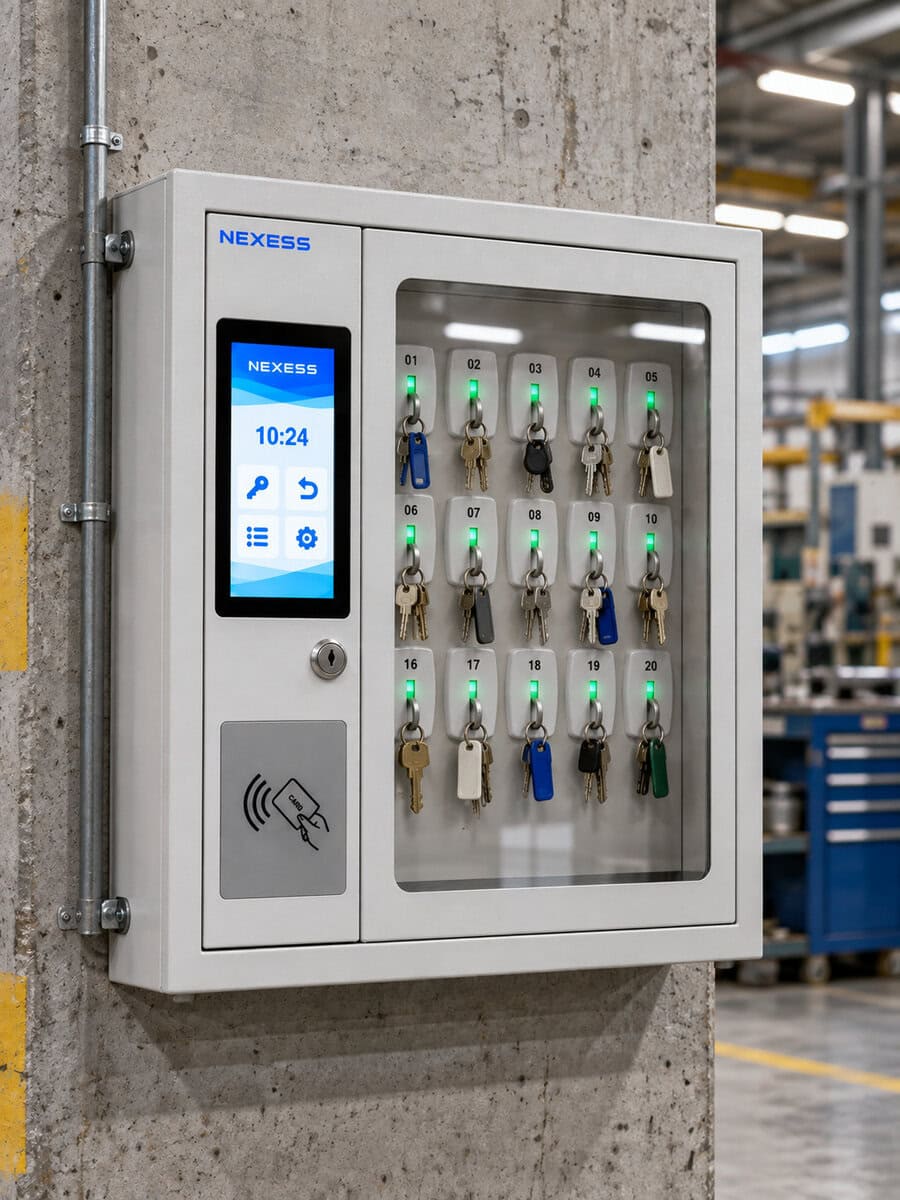
Hangars, electrical panels, site vehicles, plant rooms, restricted areas: in an industrial facility, every key opens the door to a critical asset. Yet many companies still rely on a pegboard and a paper sign-out log for key control. Nobody thinks about it until a key goes missing. Then a maintenance job stalls, an audit gets complicated, or a security incident becomes possible.
This guide covers why a key management system matters, the best practices to put in place, and the tools that automate key tracking in an industrial environment.
Why key management matters in industrial facilities
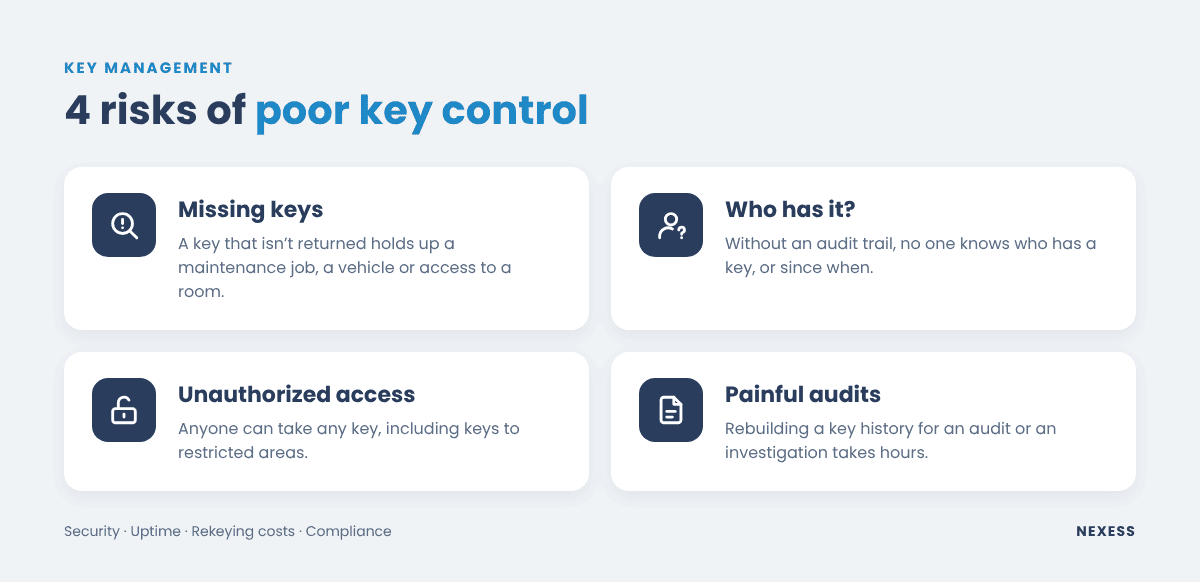
A key is a small object, but it grants physical access. In industry, poor key management creates four kinds of risk.
- Security. A key to an armory, a radioactive source room or a restricted area in the wrong hands is a gap in your whole site’s protection. Without key control, any employee or contractor can take any key.
- Uptime. A key that isn’t returned holds up a job, grounds a vehicle or keeps a room locked. Maintenance and MRO teams waste time finding out who has it, just as they do searching for tools.
- Loss and rekeying costs. A lost master key often means rekeying a lock, or even an entire keying system. The cost quickly dwarfs the price of the key.
- Compliance. In regulated industries (aerospace, defense, nuclear and energy, rail), quality and security audits require you to show who had access to what, and when. Rebuilding that audit trail from a paper log takes hours, if it can be done at all.
Key management is therefore a matter of security, operations and productivity, not just storage.
How to assess your current key control
Improving key management starts with an honest look at where you are today:
- How many keys, across how many sites and buildings?
- Who uses them: in-house staff, shift teams, contractors, temporary workers?
- How are keys issued and returned today: pegboard, mechanical key box, security desk, paper log?
- What happens when a key goes missing? How long does it take to find it?
- Which keys are high-security and must stay restricted to authorized personnel?
The answers quickly show where time is lost and where the gaps are. In most industrial companies, the pattern is the same: a manual process works as long as users are few and disciplined. It breaks down as soon as the number of keys, sites or contractors grows.
Key management best practices
Whatever tool you choose, effective key control relies on a few simple principles, much like tool inventory management best practices.
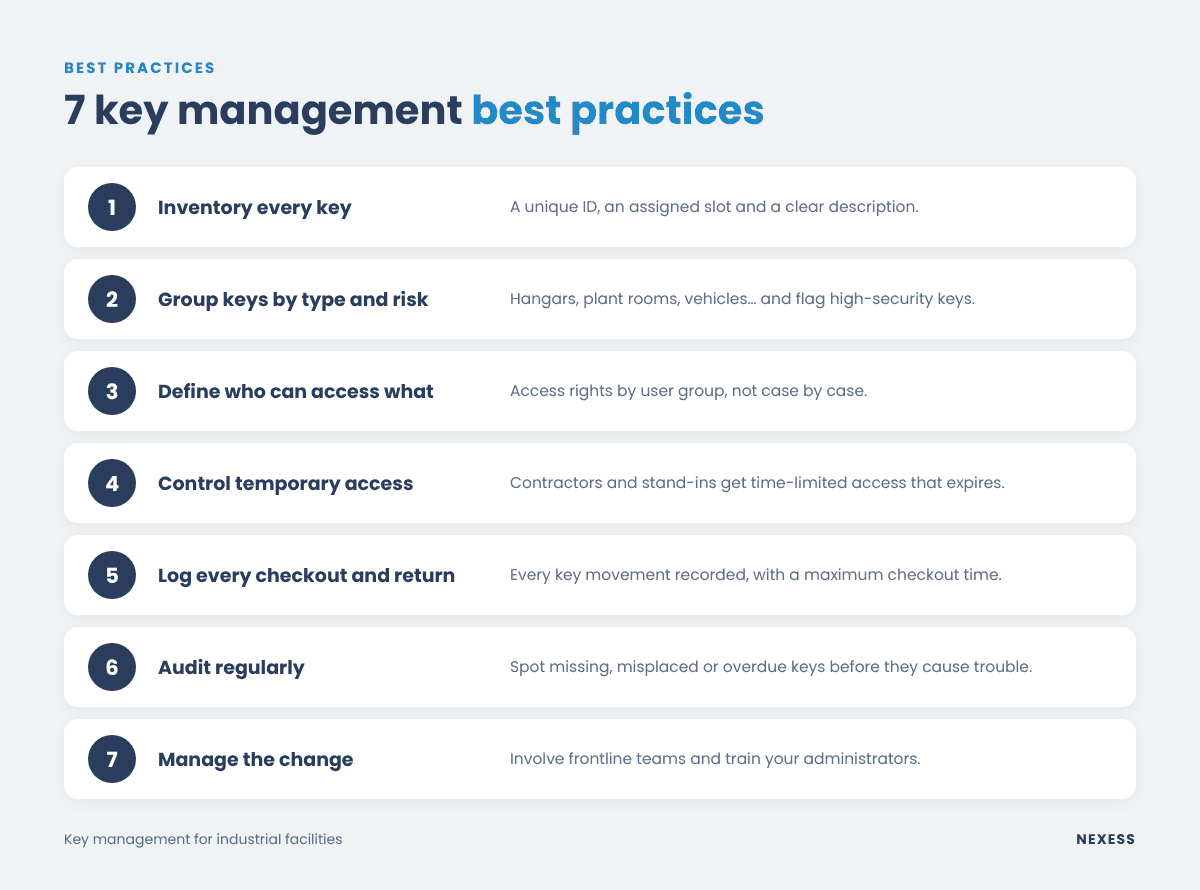
1. Inventory and identify every key
Each key needs a unique ID, an assigned slot and a clear description (room, vehicle, machine). A key you can’t identify is a key you can’t track.
2. Group keys by type and risk level
Group keys into families (hangars, plant rooms, vehicles, electrical panels) and separate everyday keys from high-security keys. This makes it much easier to assign access rights.
3. Define who can access what
Everyone should only access the keys they need for their job. Define access rights by user group (a team, a shop, a trade) rather than person by person, so your permissions stay manageable over time.
4. Control temporary access
Contractors, stand-ins and short-term workers should get time-limited access that expires automatically when their assignment ends. This is one of the most common gaps in manual key control procedures.
5. Log every checkout and return
Every key checkout should be recorded, and so should its return to the right slot. Set maximum checkout times and an alert when a key is overdue.
6. Audit regularly
Periodic key audits help you catch anomalies: missing keys, keys in the wrong slot, checkouts that run far too long.
7. Manage the change
Moving from a pegboard to an automated key management system changes habits. Involve frontline teams, show them what’s in it for them (no more hunting for keys, 24/7 self-service) and train your administrators. As with any project in manufacturing, change management drives adoption.
How to ensure key traceability
Key tracking means knowing at any time who has which key, since when, and being able to retrace the full history of its movements.
With a paper sign-out log, traceability depends entirely on everyone’s discipline: one missed line or illegible entry and the chain is broken. The log can’t tell you whether the key actually went back where it belongs, either.
Reliable key tracking rests on three things:
- User identification at every checkout, by badge or PIN, instead of a signature.
- Key identification, for example with an RFID fob sealed to each key: the system always knows which key is where.
- A digital audit trail, time-stamped and tamper-proof, that records every checkout and return and produces reports you can hand to auditors.
It’s the same principle as tool tracking, already widespread in aerospace for FOD prevention.
What is a key management system?
A key management system combines hardware and software to secure, control and track key usage.
- The hardware: an electronic key cabinet in which each key is locked in its own slot. It only releases the keys the identified user is authorized to take.
- The software: it manages users, groups, access rights, alerts and history, through a web application hosted in the cloud or on the company’s own servers.
That’s the fundamental difference from a mechanical key box or a combination key safe. The system knows who took which key, blocks unauthorized removals and alerts you when something is wrong. Key control becomes automatic, with no manual logging.
How to automate key control
Automating key management usually follows five steps:
- Import what you have: load your existing key list and assign each key to a slot in the cabinet.
- Set up groups and access rights: mirror your team structure and define which keys each group can access.
- Configure alerts: overdue key, key returned to the wrong slot, door left open, removal outside a session.
- Train users: with a few simple steps, users are up and running in minutes.
- Use the data: usage reports, audit trail for compliance, fine-tuning of access rights.
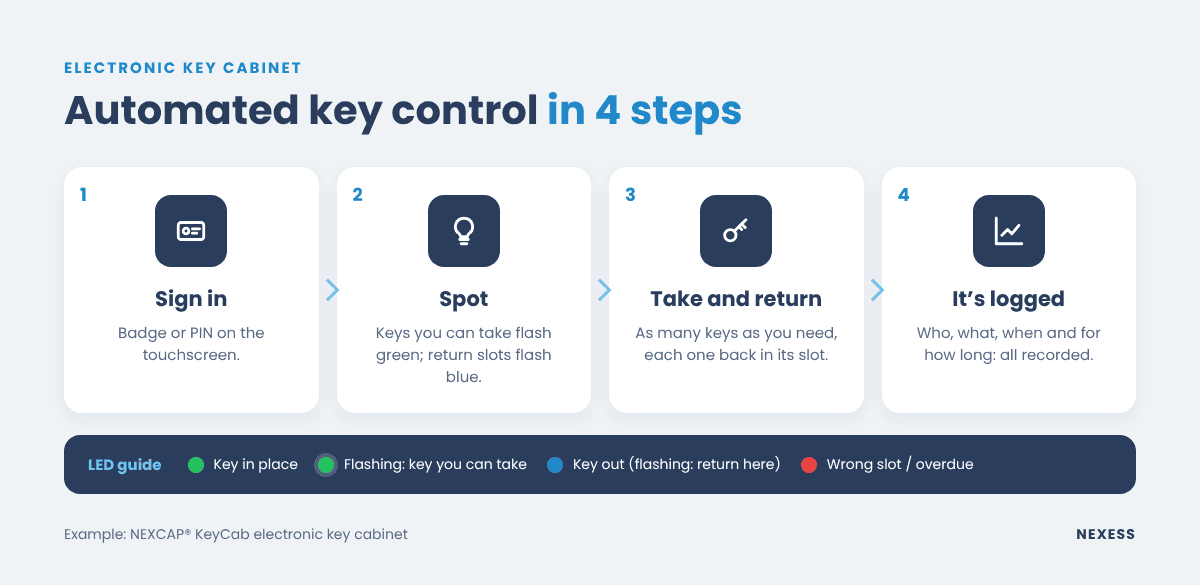
Day to day, the process becomes simple for users. They sign in, take the key, bring it back, and the record is automatic. Security and maintenance managers get a real-time view of every key on site.
Key control tools for industrial facilities
Several solutions exist, with very different levels of control.
| Tool | Access control | Traceability | Fit for high-security industry |
|---|---|---|---|
| Pegboard and sign-out log | None | Manual, unreliable | No |
| Mechanical key cabinet | One lock for all keys | None | No |
| Combination key box or locker | Shared code | Limited | Partly |
| Standalone electronic key cabinet | Per user | Yes, in dedicated software | Yes |
| Electronic key cabinet connected to a traceability platform | By group, shared with other equipment | Yes, one audit trail for keys, tools and assets | Yes |
For an industrial site, the deciding factor is often integration. Many companies already track their tools, measuring instruments or equipment in traceability software. Adding a second software package, a second server and a second user database just for keys makes life harder for IT teams and administrators.
NEXCAP® KeyCab: the electronic key cabinet of the NEXCAP® ecosystem
That’s exactly why we built the NEXCAP® KeyCab electronic key cabinet. It applies the way our RFID smart cabinets work to keys, in the same platform.
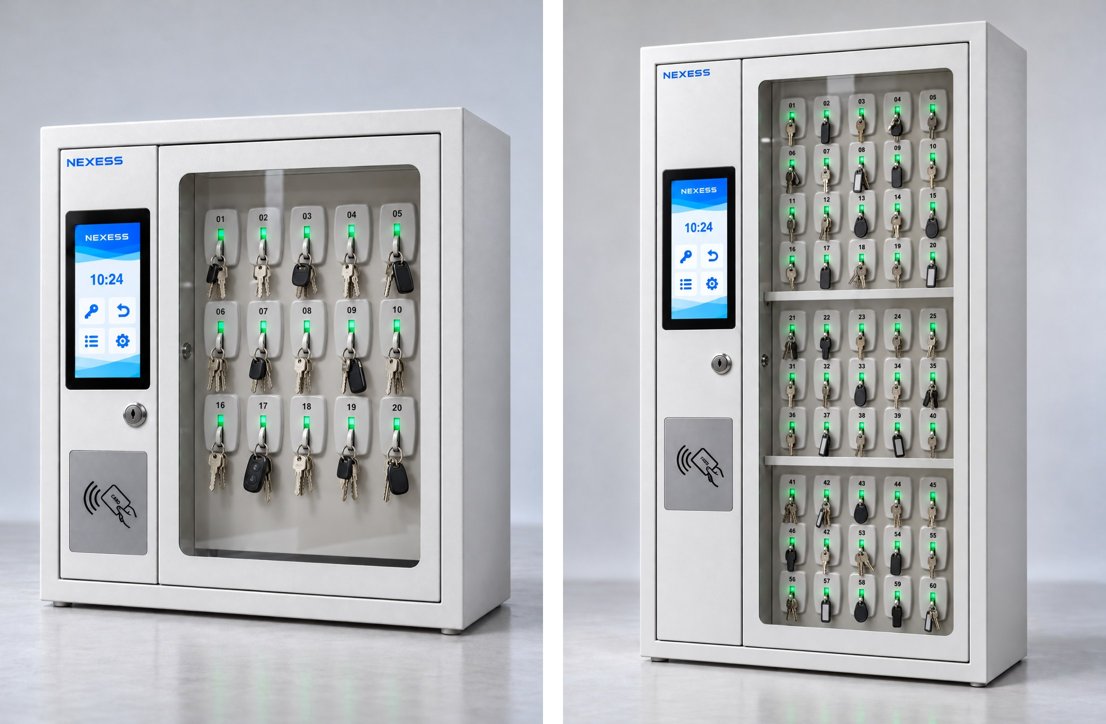
- Badge or PIN sign-in, using the badge your teams already carry.
- Keys sealed to RFID fobs, with a lock and LED for each slot: keys you can take flash green, return slots flash blue, a misplaced key turns red.
- Access rights by group, for all keys or a selection, and temporary access for contractors that expires on its own.
- Key booking from NEXCAP® web, to plan maintenance jobs.
- E-mail alerts and a full audit trail in the NEXCAP® software, with the same users and reports as your tool cabinets and tool carts.
- Two sizes, 20 or 60 keys, with cloud hosting in the United States or Europe, or on-premise.
Conclusion: make key management a controlled process
Key management isn’t a logistics detail. In an industrial facility, it’s part of security, uptime and compliance. The best practices (identify, classify, assign access rights, track, audit) are hard to sustain with a pegboard. An electronic key cabinet applies them automatically, and it delivers the most value when it plugs into the platform that already tracks your tools and equipment.
Want to assess key control at your site? Contact our team for a review based on your current key inventory.
FAQ
A mechanical or combination key box keeps keys locked up, but it doesn’t know who takes them. An electronic key cabinet identifies each user by badge or PIN, locks every key in its own slot and logs every checkout and return in an audit trail you can review at any time.
In most cases, yes. The NEXCAP® KeyCab reader supports HF 13.56 MHz badges (ISO 14443A and ISO 15693), which are widely used in access control. Your badge technology is checked before installation, and PIN sign-in works in every case.
If a key is overdue, an e-mail alert goes to the right people. If a key is returned to the wrong slot, its LED turns red and the checkout only closes once the key is back in place: the user remains responsible for it.
The safest approach is time-limited access, restricted to the keys needed for the job. Access expires automatically when the assignment ends, with no manual follow-up.
If you already use NEXCAP® for tool tracking, no: the key cabinet joins the same platform. Otherwise, NEXCAP® is available in the cloud, hosted in the United States or Europe, or on-premise on your own servers.
With NEXCAP® KeyCab, allow about two months from order to installation by the Nexess team. Your existing key list is imported, and an on-screen wizard guides the setup slot by slot.
Related articles
What is a RFID cabinet and how it works
If you're keen to understand the cutting-edge advancements in inventory management, particularly within critical sectors...
READ MORESep